

n8n Agent Prompts
VH3 AI is built to be extended. The intelligence layer (enriched jobs, operational memory, discovery, sentinels, reports) sits underneath Connie, your API, and native integrations. n8n is where you wire that layer into the rest of your stack: Slack, email, CRM, spreadsheets, scheduling, and the thousand-plus apps your team already uses. The verified VH3 AI community node puts field service operations and AI on the same canvas. Install it once, connect your credentials, and build deterministic workflows or LLM-powered agents without a proprietary workflow builder or a development queue.Check the community node pack here for the full action list, install steps, and n8n’s integration overview. For installation, hosting, and templates, see the n8n Community Node guide.
Why n8n is the obvious extension layer
You do not need a closed “AI workflow” product on top of VH3. n8n is the open automation layer; the community node is the bridge. Native integrations handle sync inside the platform; n8n handles your routing, alerts, and custom logic.
The community node in n8n
Once installed, VH3 AI appears in the node panel with triggers, actions, and an AI Tool variant for agent workflows.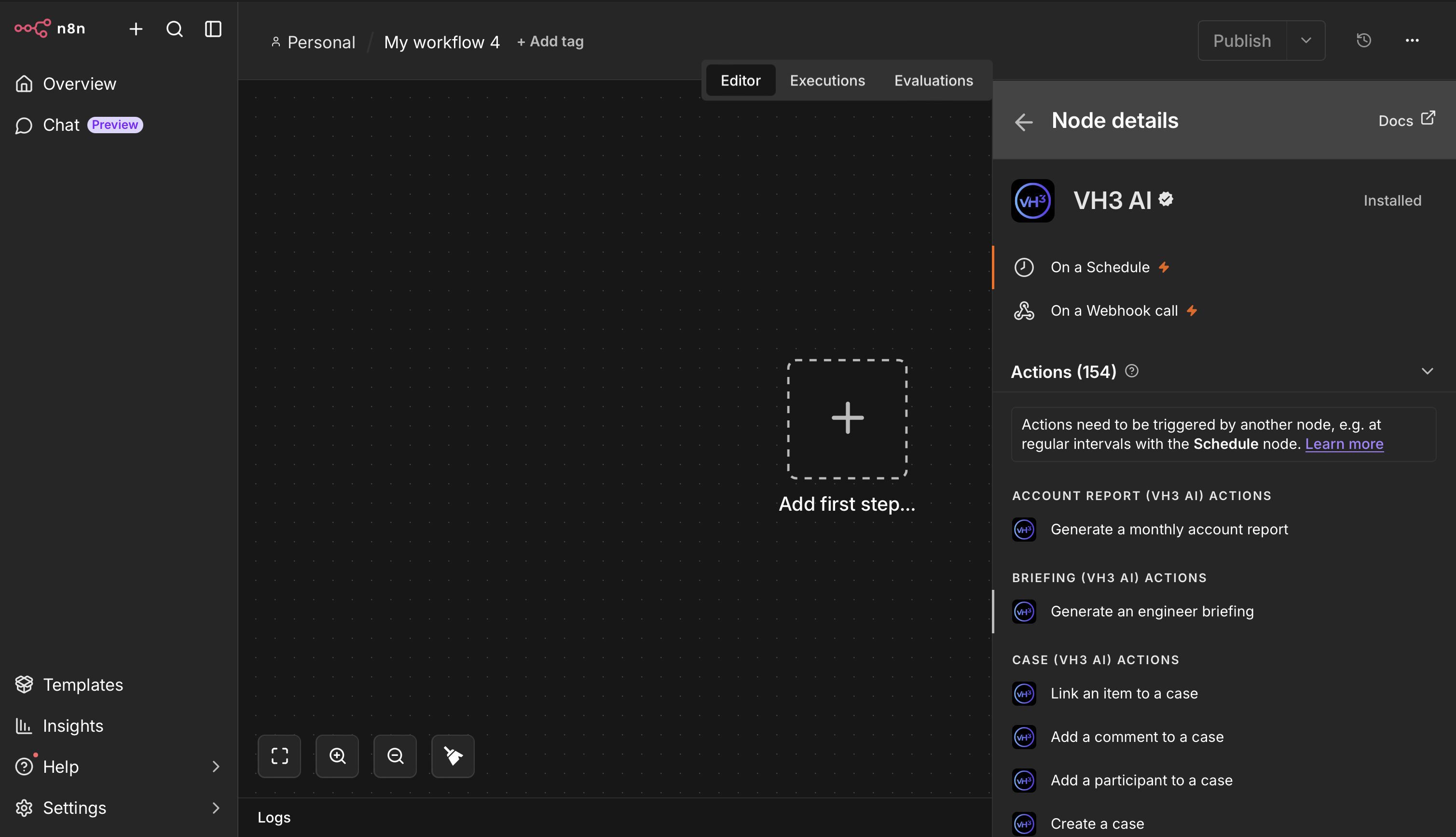
VH3 AI in the n8n node panel: verified community node with 150+ actions across field service and intelligence operations.
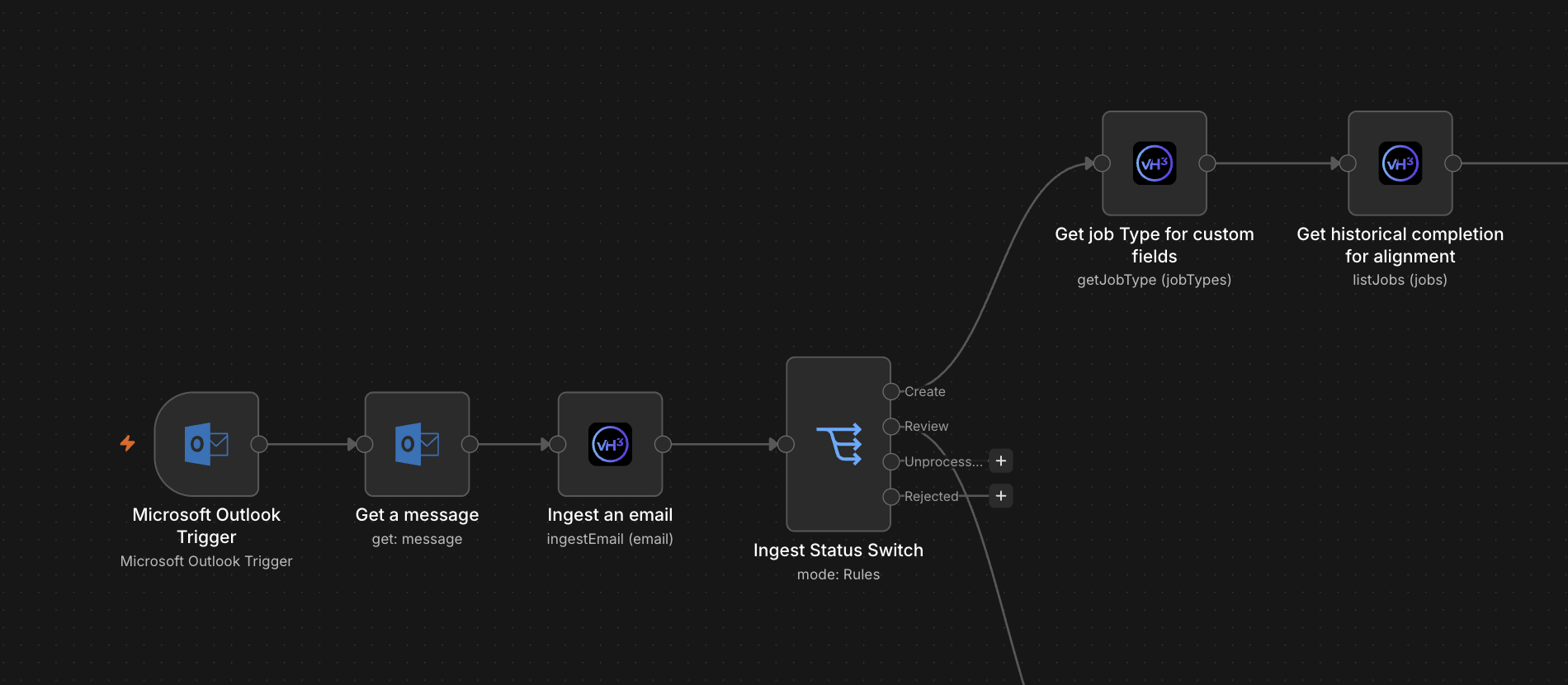
Example workflow: email ingest through VH3 AI, status routing, and downstream job operations.
When to use the node directly vs an AI Agent
Architecture
Quick setup
1
Install the community node
Self-hosted: Settings → Community Nodes →
n8n-nodes-vh3ai. n8n Cloud: search VH3 AI. Or use a managed VH3 n8n instance. See Check the community node pack here.2
Add VH3 AI API credentials
API Key and Company ID from your VH3 account. See Credentials on the n8n node page.
3
Create an AI Agent workflow
Add a trigger, an AI Agent node, your language model, and connect the VH3 AI Tool generated from the community node.
4
Paste the system prompt
Copy the system message into the agent’s System Message field. Optionally append the routing appendix.
5
Scope memory to the conversation
Use Buffer Window memory with
sessionKey set to channel or user id so follow-ups keep context.The system prompt
Paste this into the System Message field of the AI Agent node. It contains no workflow expressions: credentials and tool wiring stay in n8n.System Message
Optional routing appendix
Paste this below the main system message if you want a short reminder without repeating tool parameter docs. Tool descriptions on the VH3 AI Tool node remain the source of truth.Routing appendix
Testing the agent
Once wired up, try these in your trigger channel:Performance notes
Timeouts
Investigation and reports with narrative often need 20 to 25 seconds. Set the VH3 tool or workflow timeout accordingly; default short timeouts will fail on synthesis endpoints.
Memory
Use Buffer Window memory with
contextWindowLength: 10 and sessionKey scoped to the channel or user. Without memory, follow-ups like “drill into roofing” lose context.Token costs
Each tool call adds tokens. The VH3 AI Tool descriptions carry routing detail; keep the system prompt focused on behaviour and identity, not parameter enums.
Discovery vs synthesis
Prefer fast tools (search, feed, sentinels) for triggers and filters; reserve investigate and narrative reports for steps that need language. See Operational discovery.
Related
n8n Community Node
Install, credentials, hosting, and operation list.
Verified on n8n
Verified integration page and full action catalogue.
Building on the layer
Citizen builders, substrate, and programmatic access.
MCP setup
Same intelligence surface for Claude Desktop and Cursor.